Running two brands from one Shopify store without blurring either identity
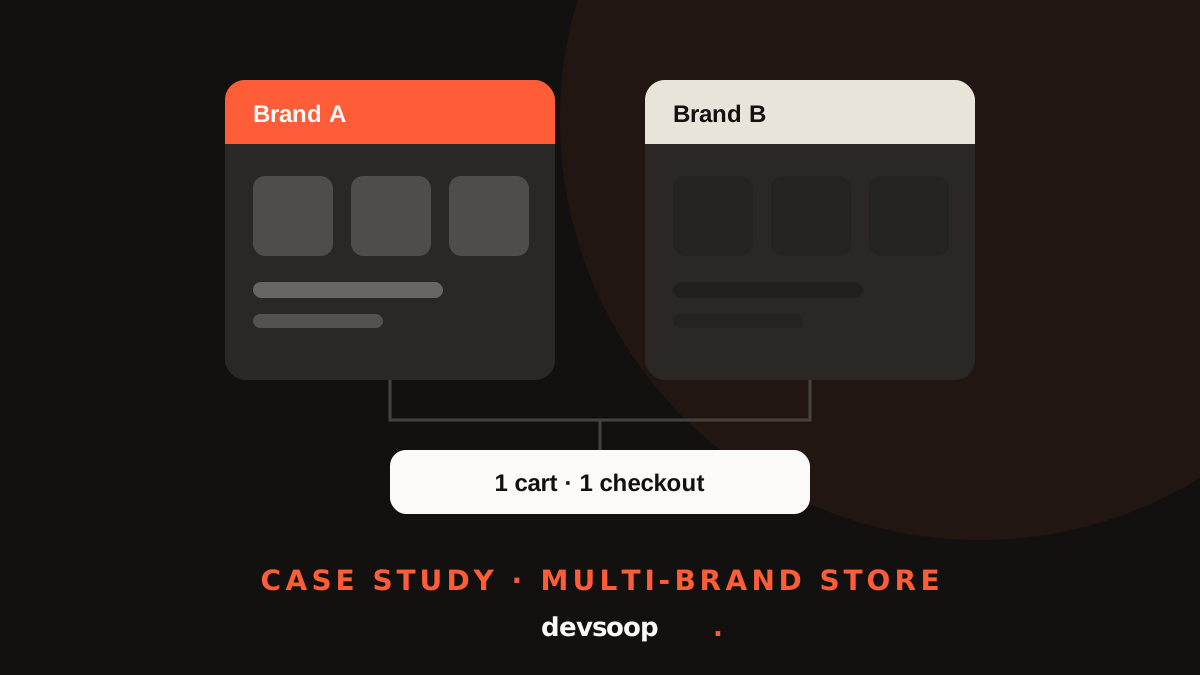
One admin, one cart, one checkout, two brands. A storefront that switches identity automatically based on what the shopper is viewing.
- Client
- Performance automotive parts retailer
- Platform
- Shopify, migrated from WooCommerce
- What we built
- Brand-aware theme, shared cart & checkout, staff guides
Overview
A performance automotive parts retailer came to Devsoop while moving from WooCommerce to Shopify. The business sells under two brands: a primary brand and a secondary brand with its own following, logo, colors and product range.
On WooCommerce, both brands already shared one store. The client wanted to keep it that way on Shopify: one admin, one backend, one cart and checkout. But each brand still had to look like itself to the customer. We built a custom Shopify theme that switches identity automatically based on what the shopper is viewing, and that the client's team manages without a developer.
The challenge
Two Shopify stores would have meant two admins, two catalogs to keep in sync, two sets of apps, and customers who buy from both brands checking out twice. The client asked for the opposite: a shared backend and cart, with separate catalogs and a distinct look for each brand.
That raised practical questions:
- How does the store know which brand a page belongs to? Products, collections, landing pages, blogs and articles are managed differently in Shopify, so there was no single switch to flip.
- What should shared pages look like? The cart, checkout, home page, search and technical knowledge base serve both brands' customers.
- How do shoppers move between brands? Someone browsing one brand should reach the other in a click.
- How does staff keep it right? Branding had to be controlled from normal admin fields, with mistakes easy to spot and fix.
- What about everything outside the storefront? Invoices, packing slips and order history from the old websites cover both brands.
Our approach
We worked from the client's scope: two brand catalogs with their own logos and header styles, plus one common look for the cart, checkout and knowledge base. Three principles shaped the build:
- Use fields the team already maintains. We tied branding to information that already has to be correct, rather than inventing a new tagging system.
- Fall back safely. If nothing says which brand to show, the store shows the primary brand. A missing or misspelled value never produces a broken page.
- Keep brand settings in the theme editor. Logos, colors and menus for each brand sit side by side in one settings panel, so either brand can be updated without code.
One correct value in admin keeps the storefront, the filters and the paperwork right for both brands.
The solution
Automatic brand detection. The storefront decides which brand to show based on the type of page. Product pages use the product's vendor, a field every product already has. If it matches the secondary brand's list, the page takes on that brand's look. Collections, landing pages and blogs use a simple brand field in admin. Articles inherit their blog's brand, so a whole brand blog is set up once. Matching ignores capital letters.
Three looks, not two. We added a combined mode for landing pages that represent both brands. If no combined logo is uploaded, the header shows both brand logos together.
Brand-specific header and footer. Each brand has its own logo, colors, main menu and quick links. The header carries a button that takes shoppers straight to the other brand. Each footer column can be set to show for all brands, one brand, or combined pages only.
One shared core. The home page, search, cart and checkout stay on the primary brand by design, so a customer buying from both brands has one cart and one checkout. Technical articles for both brands live in one knowledge base, and each brand has its own collections inside the same catalog.
One field, two jobs. Because product branding comes from the vendor field, the same value powers the storefront's Brand filter. One correct value keeps both right.
Shared paperwork and history. Invoices and packing slips carry both brand logos, so every order looks right whichever brand the items came from. An order recovery page lets customers of either old website request their past orders.
A tricky edge case. Reviewing the migrated catalog, we found secondary brand products showing the primary brand's header because their vendor had come across under the primary brand's name. Products deliberately ignore the brand field used elsewhere, so the vendor stays the single source of truth. We made that rule explicit and added a pre-publish checklist for staff.
Staff documentation. Plain-language guides explain where to set the brand for each type of content and how to fix common mistakes.
Results
- One Shopify store, one admin, and one shared cart and checkout for both brands.
- Each brand keeps its own logo, colors, menus and footer content.
- Shoppers move between brands in one click.
- Pages shared by both brands have their own combined look.
- Branding runs on existing admin fields, with a safe default when nothing is set.
- The client's team manages both brand identities from the theme editor without developer help.
Tech stack
- Shopify theme (customized)
- Liquid
- Shopify metafields and metaobjects
- Shopify Search & Discovery (filters)
- Shopify Forms
- Liquid invoice and packing slip templates
Running more than one brand?
Wondering whether you need a second Shopify store? We'll help you work out whether one store can carry both brands, and what it takes to keep each one distinct.