Charging the right sales tax on storage and parking, based on where the space is
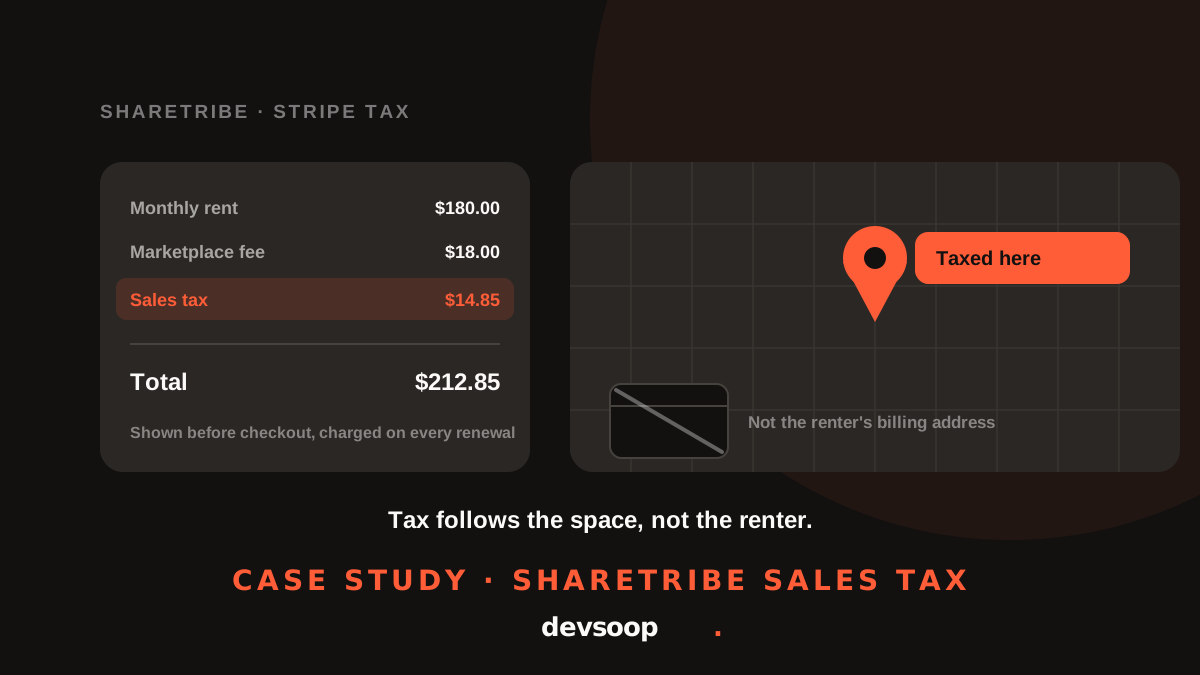
Tax follows the space, not the renter. How we added automatic sales tax to a Sharetribe rental marketplace, from the first booking to the twelfth monthly renewal.
- Client
- Storage and parking rental marketplace
- Platform
- Sharetribe, Stripe Tax
- What we built
- Facility-based tax, checkout and renewal tax, filing records
Overview
The same storage and parking marketplace needed to collect sales tax on its rentals. Hosts list spaces in more than one state, and renters book them by the hour, by the day or by the month.
Sharetribe doesn't calculate sales tax, and the payment setup it shipped with asked for the renter's billing address. For a parking spot or a storage unit, that's the wrong place to tax. We built sales tax around the location of the space, shown before checkout, collected on every payment and recorded for filing.
The challenge
Tax on a rental looks like one extra line at checkout. Getting that line right raised problems in five places:
- Which address to tax. A renter from one state might rent a unit in another. Storage and parking are used where the space is, so tax had to follow the facility, not the renter's card.
- Missing data on old listings. Existing listings stored a map pin and a display address, but not the structured ZIP code and state a tax calculation needs.
- What's taxable. The rent is taxable. The marketplace's own fee is not. Tax had to be calculated on the right part of the order.
- Monthly renewals. Subscriptions renew automatically through Stripe. Every renewal needed the same tax as the first month, at the same location, for as long as the rental lasts.
- Money and paperwork. Tax collected had to stay with the marketplace for remittance, not flow to the host, and every payment needed a record that could be filed.
Our approach
We traced the tax on a rental from the listing page to the filed return: estimated, charged, split from the host's payout, recorded and renewed. Three principles shaped the build:
- Tax the place of use. The listing's address decides the tax, for one-off bookings and monthly subscriptions alike.
- Use data hosts already enter. Hosts already pick an address when they create a listing. We save the tax details from that same step, so nobody fills in a new field.
- Never block a booking. If the tax service is unavailable, the booking goes through and the problem is logged, rather than turning away a paying renter.
Storage and parking are used where the space is, so that's where the tax belongs.
We left the legal questions, such as tax codes and which states to register in, with the client's tax advisor, and built the system so those settings change without code.
The solution
Tax details captured with the address. When a host picks a location from the address search, we now save the country, state, city and ZIP code along with it. If the host moves the listing, the details are replaced, so an old ZIP code never lingers.
Old listings fixed on the fly. For listings created before the change, the system looks up the address from the map pin the first time tax is needed, then saves it to the listing through the Sharetribe Integration API. Every later checkout skips the lookup.
Real tax before checkout. Because tax depends on the listing, not the renter, the listing page shows the actual tax in the price estimate instead of “calculated at checkout”. Renters no longer type a billing address just to see a total.
Tax on the right amount. Tax is calculated on the rent and any host fees, never on the marketplace's commission. It appears as its own line, paid by the renter and kept out of the host's payout so it stays with the marketplace for remittance.
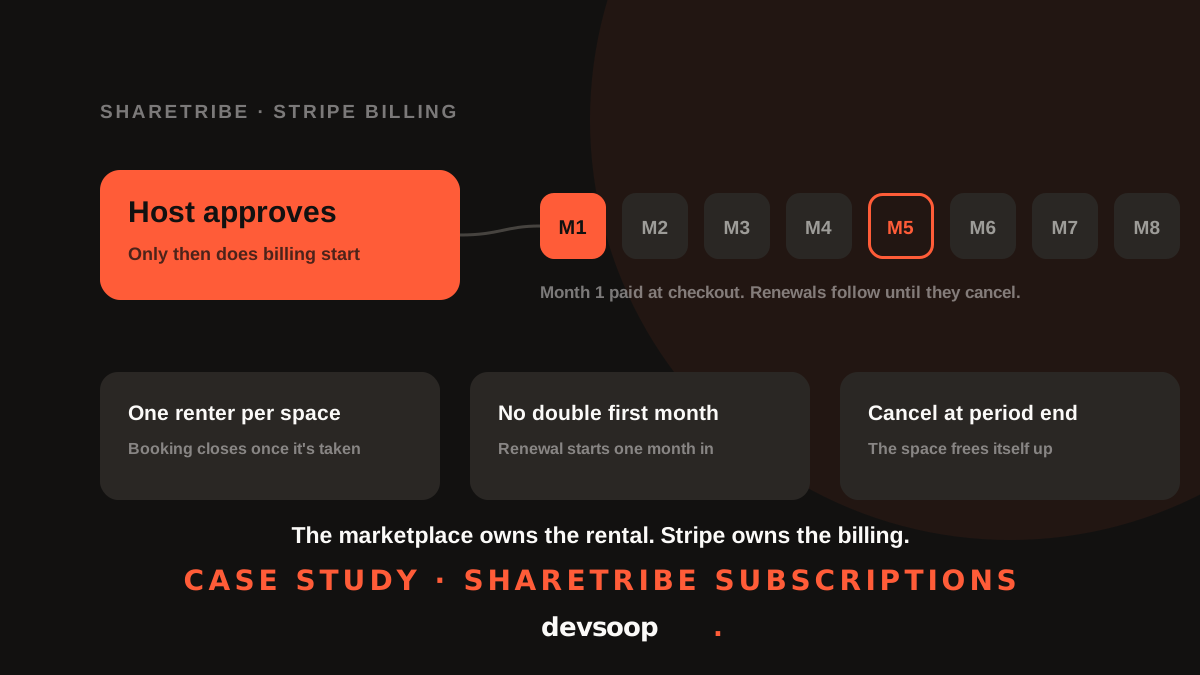
Monthly renewals, taxed the same way. When a subscription starts, the facility's address is attached to the renter's billing profile as the tax location, and every renewal adds tax on top of the monthly price. We kept it separate from the renter's own address, since one renter can have units in different states.
Records for filing. When a payment succeeds, a tax record is created for it in Stripe, ready for filing. Renewals are recorded automatically. If the same payment notification arrives twice, it's recorded once.
Warnings that matter. A tax of $0 usually means the marketplace isn't registered in that state. Instead of passing silently, it's logged with the state and ZIP code so the team can act.
Receipts that add up. We found renter receipt emails were leaving out the tax line, so the items didn't add up to the total charged. Receipts now show sales tax and match checkout line for line.
Results
- Sales tax is calculated from the location of each space, in every state the client lists in.
- Renters see the real total, tax included, before they reach checkout.
- One-off bookings and every monthly renewal are taxed the same way.
- Tax is kept out of host payouts and recorded for filing on every payment.
- Existing listings were brought up to date automatically, with no bulk clean-up.
- A tax-service outage never stops a booking.
Tech stack
- Sharetribe Web Template (React, Node.js)
- Sharetribe Integration API
- Stripe Tax (calculations, transactions, automatic tax on invoices)
- Stripe Billing and webhooks
- Mapbox and Google Maps geocoding
- Automated test suite (Jest)
Need sales tax on your marketplace?
Collecting tax across states, on rentals or subscriptions? Tell us how your marketplace charges and we'll show you where tax fits.